Support & FAQ
Welcome to the InstantLog support page. Here you can find answers to common questions or contact us directly.
📱 App Screenshots
📚 Frequently Asked Questions (FAQ)
1. How do I delete a record?
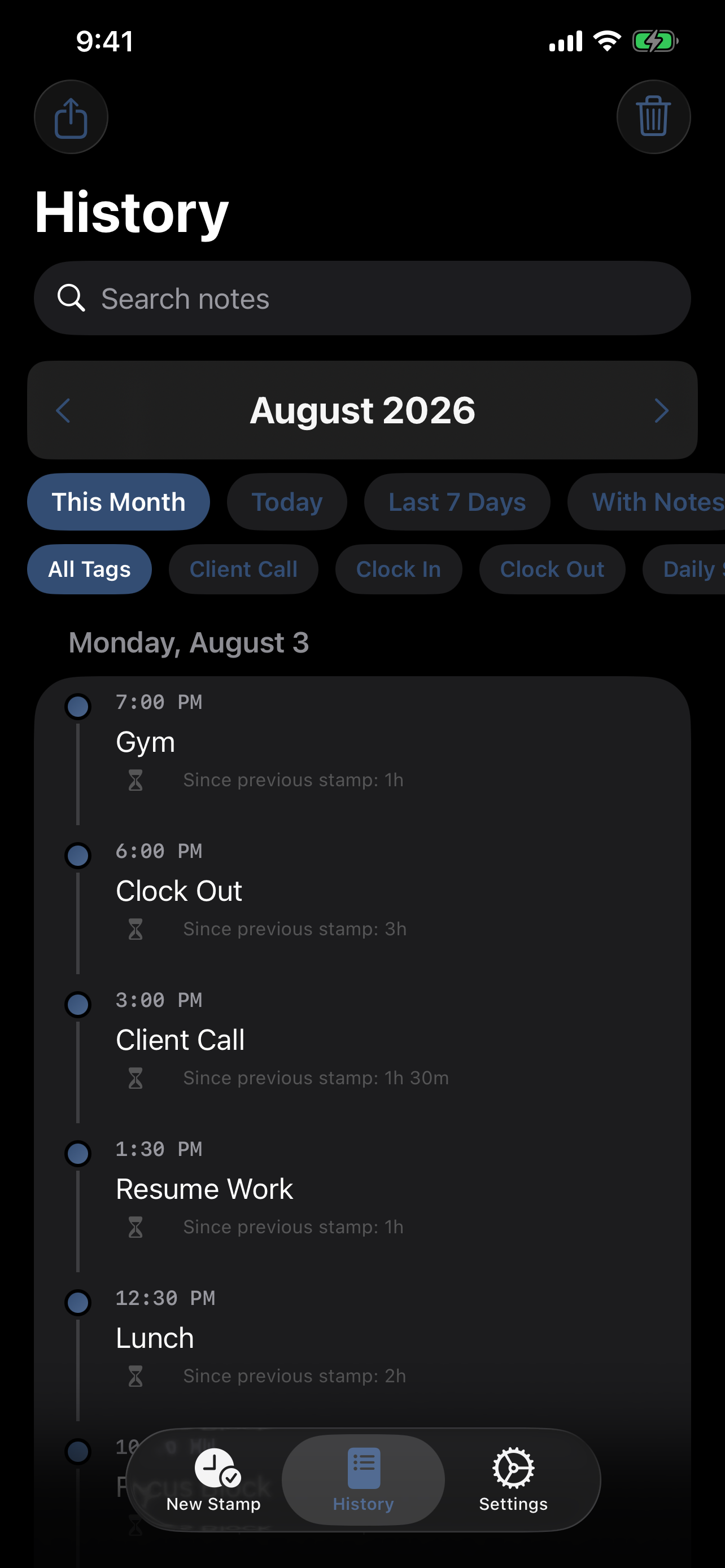
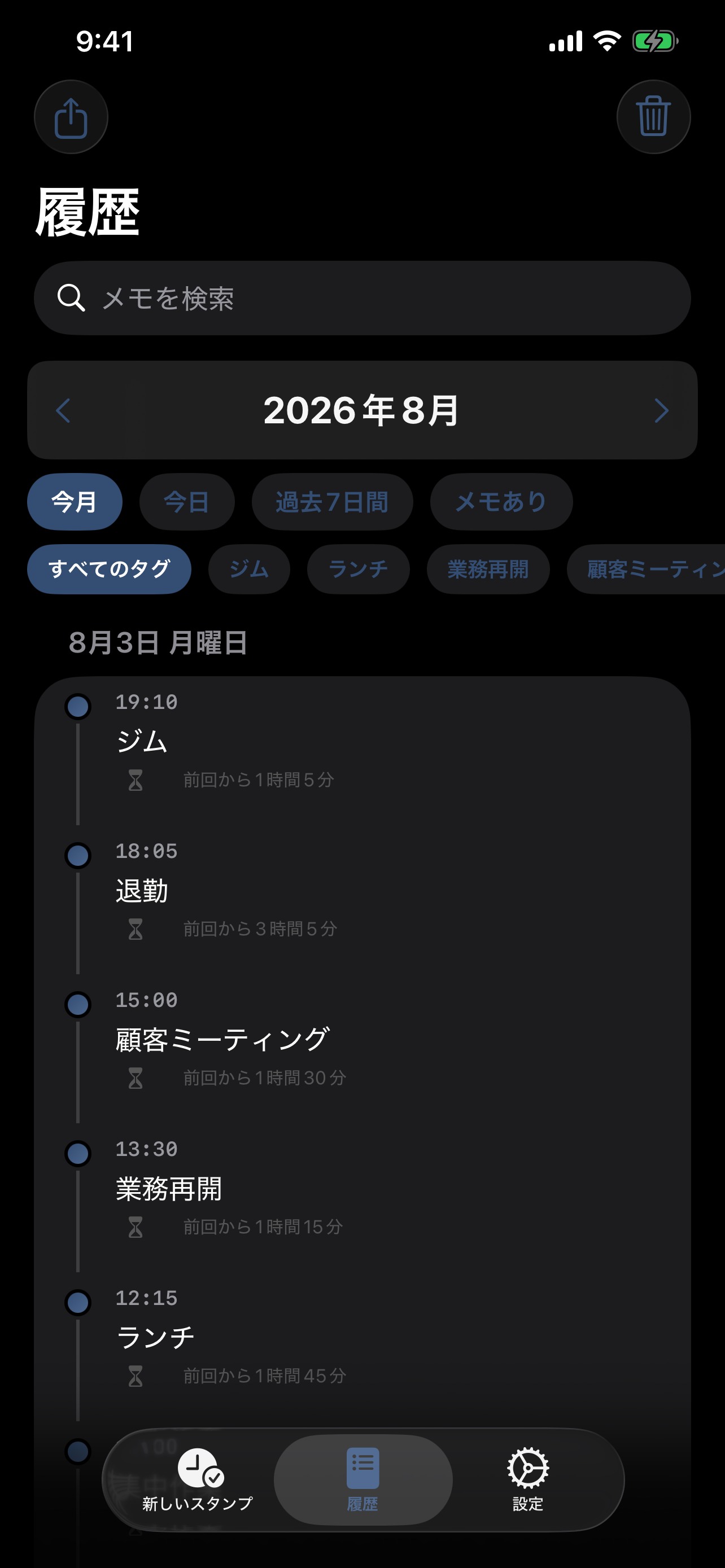
Swipe left on any record in the History view to reveal delete and edit actions. If you want to remove an entire month, open the History tab, switch to the month you want, and use the trash button in the top-right corner.
2. How does Smart Auto-Fill work?
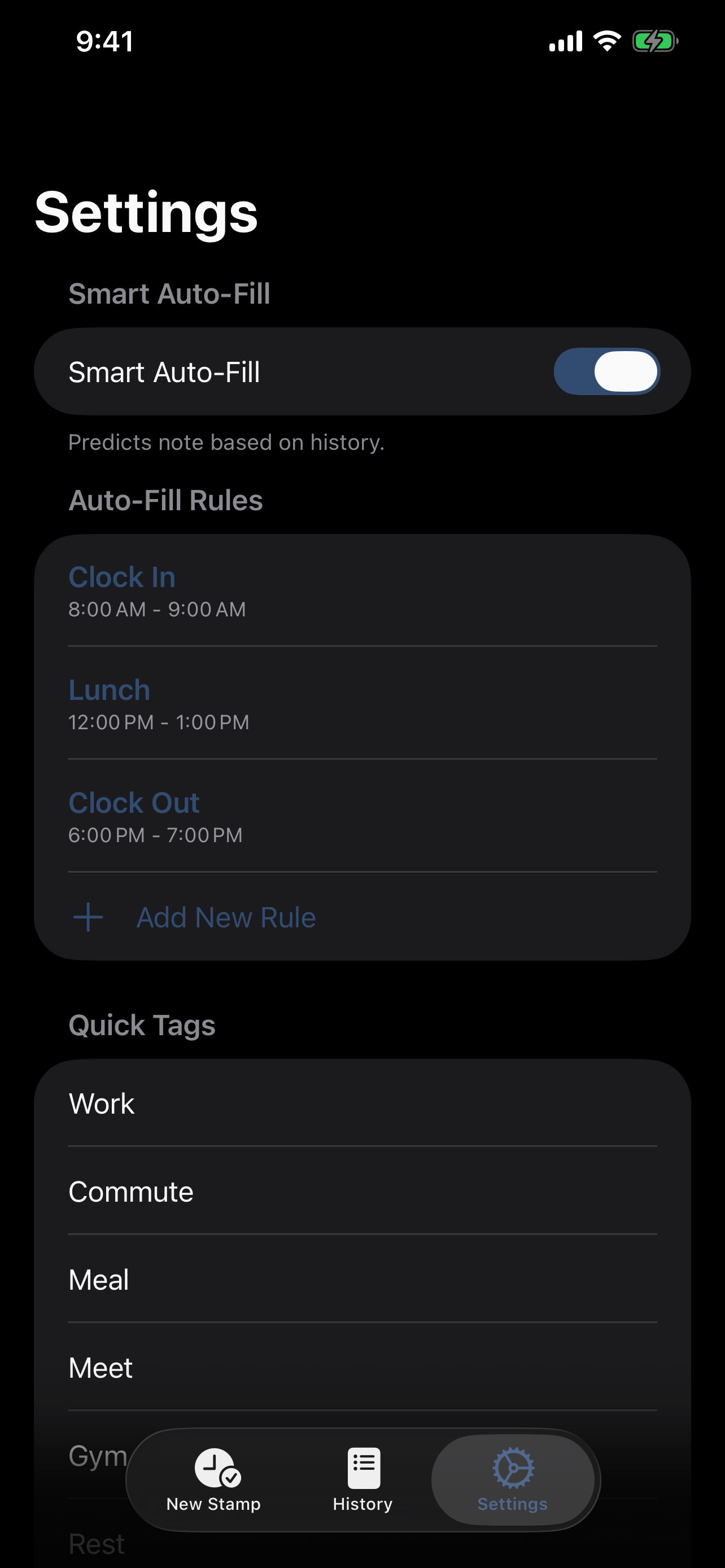
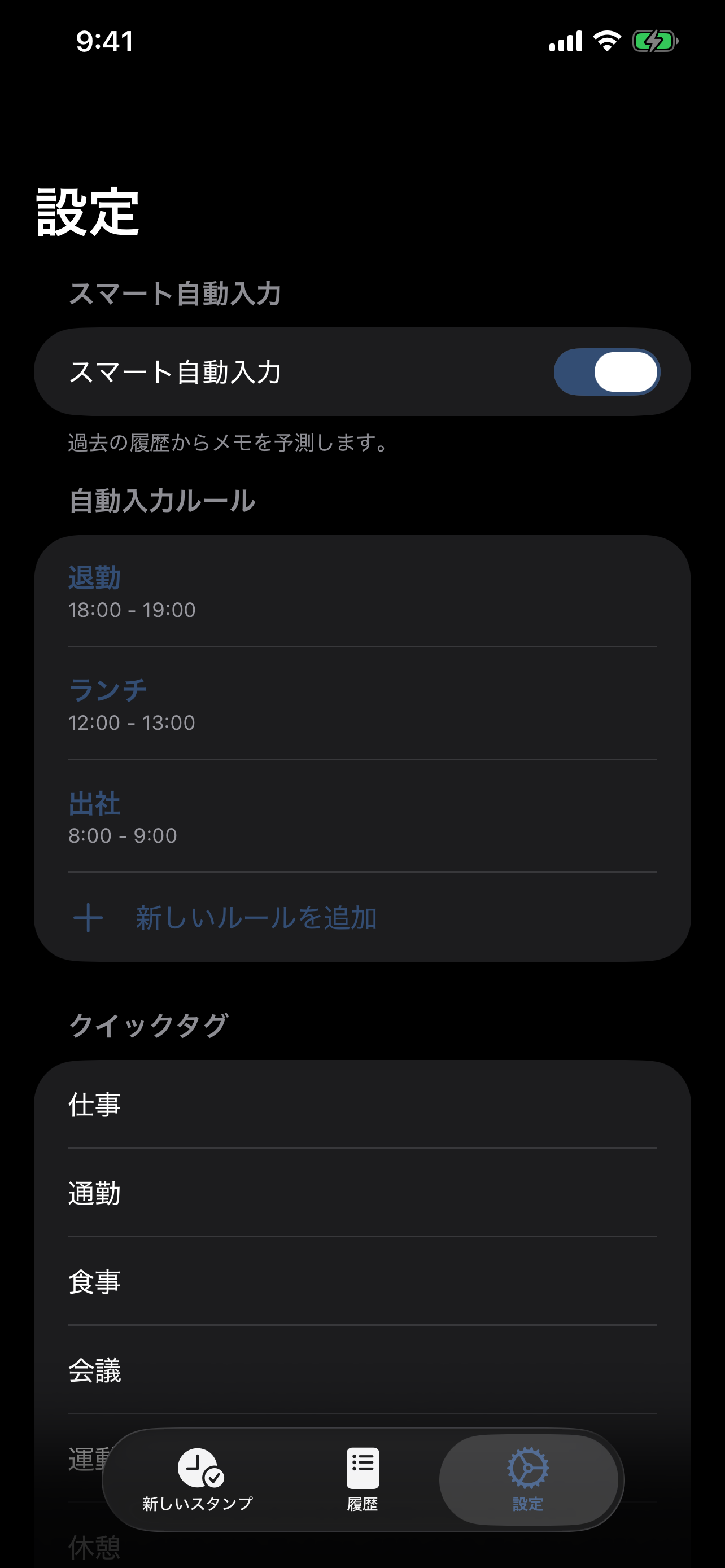
InstantLog analyzes your past records. If you often log "Lunch" at 12:00 PM, the app will suggest "Lunch" when you stamp around that time again. You can also set explicit rules in Settings to customize your auto-fill preferences.
3. Can I search or filter my history?
Yes. In the History tab you can search notes, switch between Today, Last 7 Days, This Month, or With Notes, and use quick tag filters to narrow down matching records faster.
4. How do Quick Tags work?
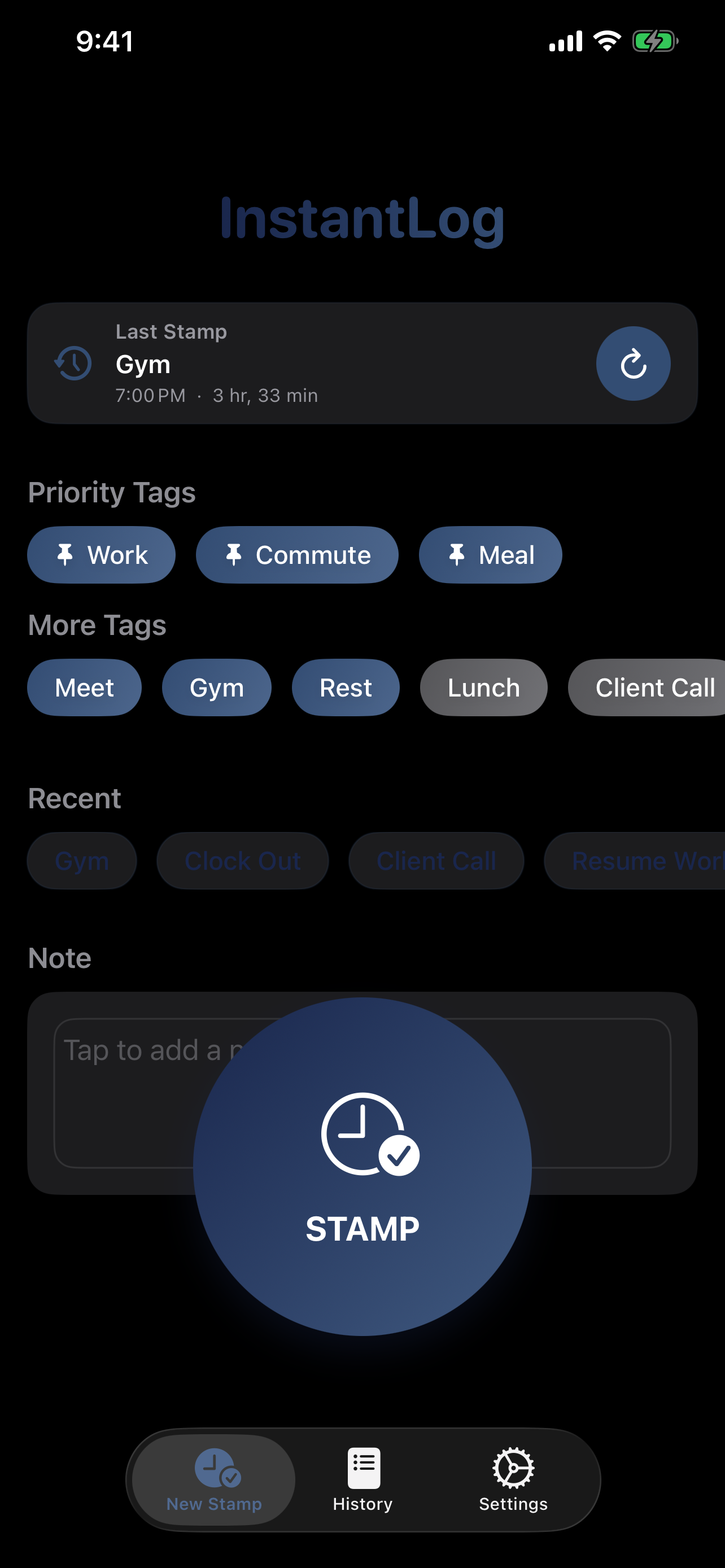
Quick Tags can be managed in Settings > Quick Tags. The first three tags in that list appear first on the stamp screen as priority tags, so you can reorder them there to match your most common actions.
5. How do I backup my data?
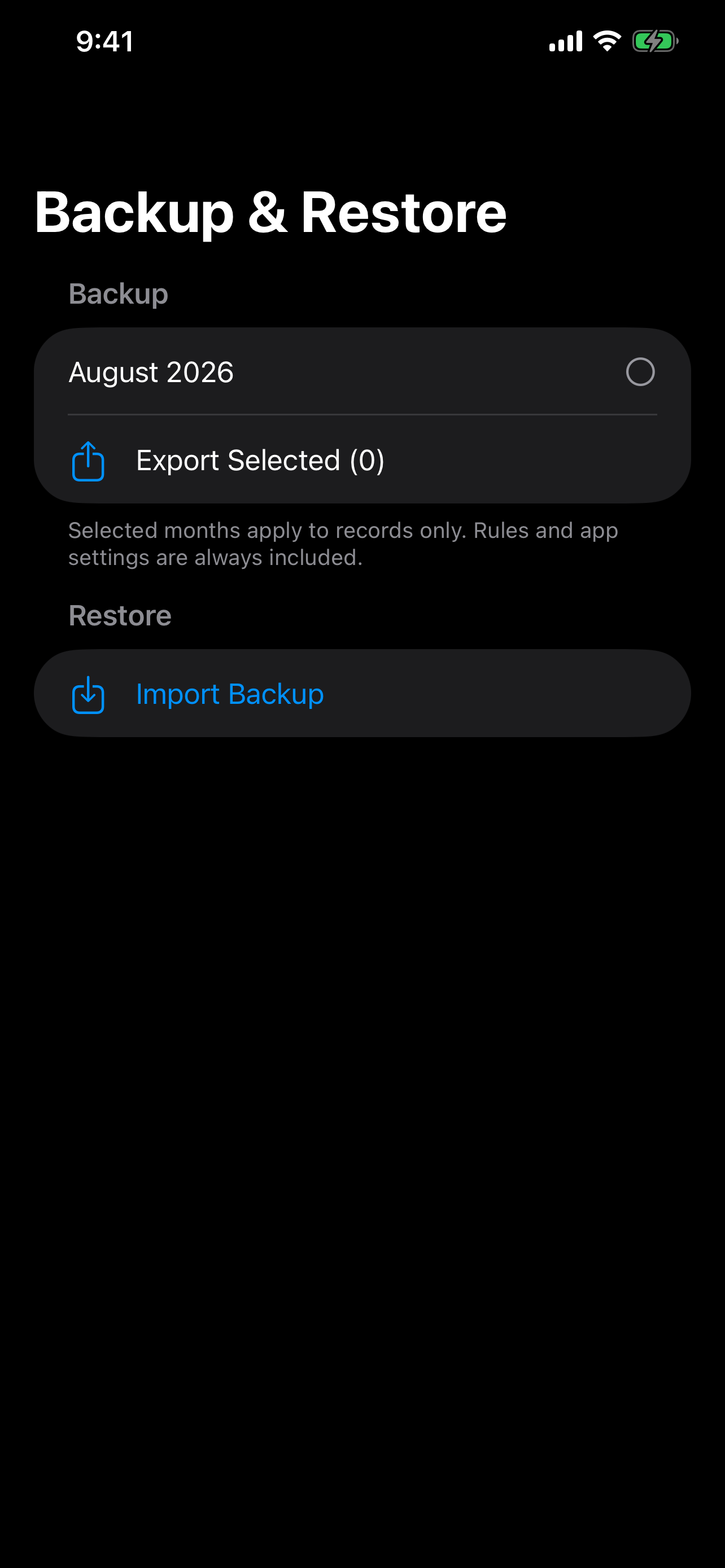
Go to Settings > Data Management > Backup & Restore. InstantLog backups now include selected records, Auto-Fill Rules, Quick Tags, and Smart Auto-Fill settings. After restore, the app also shows an import summary so you can confirm what was recovered. This is a Premium feature.
6. How do I export a CSV report?
Go to the History tab and tap the export icon in the top left corner. You can generate a CSV file containing the records currently shown by your History filters, which is useful for Excel or printing. Export is a Premium feature.
7. Does the app work without internet?
Yes. Stamps, notes, and saved parking locations are stored locally. Basic stamping, parking capture, distance guidance, and previously saved records remain available without an InstantLog account. Maps, walking routes, ads, purchases, and support email may require a connection.
8. Does the Watch App work offline?
Yes. You can stamp or save a parking location on Apple Watch even when your iPhone is not nearby. The Watch saves first and syncs when the devices reconnect. Sync is often quick when the iPhone is reachable, but offline records can remain pending until a connection is available.
9. How do I make text larger on Apple Watch?
InstantLog follows the Apple Watch system text size using Dynamic Type. On your Watch, open Settings > Display & Brightness > Text Size, then tap the size controls or turn the Digital Crown. You can also turn on Bold Text. At accessibility text sizes, InstantLog automatically changes Quick Entries from two columns to one for easier reading.
10. Does InstantLog support widgets?
Yes. InstantLog includes Home Screen widgets for quick logging. On supported widget sizes, you can stamp immediately or use quick tags without opening the full app.
11. What does Premium unlock?
InstantLog Premium is a one-time purchase, not a subscription. It unlocks GPS for regular iPhone stamps, the advanced direction arrow for finding your car on iPhone and Apple Watch, CSV export, Backup & Restore, and removes banner ads. Basic parking save/retrieve, map, distance, parking details, and walking directions remain free.
12. How do I save and find my parked car?
Tap Parking on the iPhone or Apple Watch stamp screen. InstantLog saves the stamp immediately and then attaches the best available location. When a parking point is active, tap Find Car to see its map, straight-line distance, optional floor/zone/space detail, and a walking-directions link. Tap Found Car when finished.
13. Why can a parking location be inaccurate?
GPS works best outdoors. Underground garages, tall buildings, roofs, and weak satellite signals can increase the error. InstantLog shows the saved accuracy when available; add a floor, zone, or space note for indoor and multi-level parking.
14. Can I use approximate location?
Yes. Open the iPhone Settings app > Privacy & Security > Location Services > InstantLog and turn off Precise Location. Parking still works, but the saved point and direction guidance may be less accurate. You can also deny location access; stamps are still saved without coordinates.
15. How do I restore Premium on a new iPhone?
Open InstantLog Settings > Premium and tap Restore Purchases while signed in with the Apple Account that made the original purchase. Premium entitlement then syncs from iPhone to the paired Apple Watch.
Still need help?
If you couldn't find the answer you were looking for, our support team is here to help!
📧 Contact SupportEmail: piscesweilun.studio@gmail.com
支援中心與常見問題
歡迎來到瞬記 (InstantLog) 支援頁面。您可以在這裡找到常見問題的解答,或直接與我們聯繫。
📱 應用程式截圖
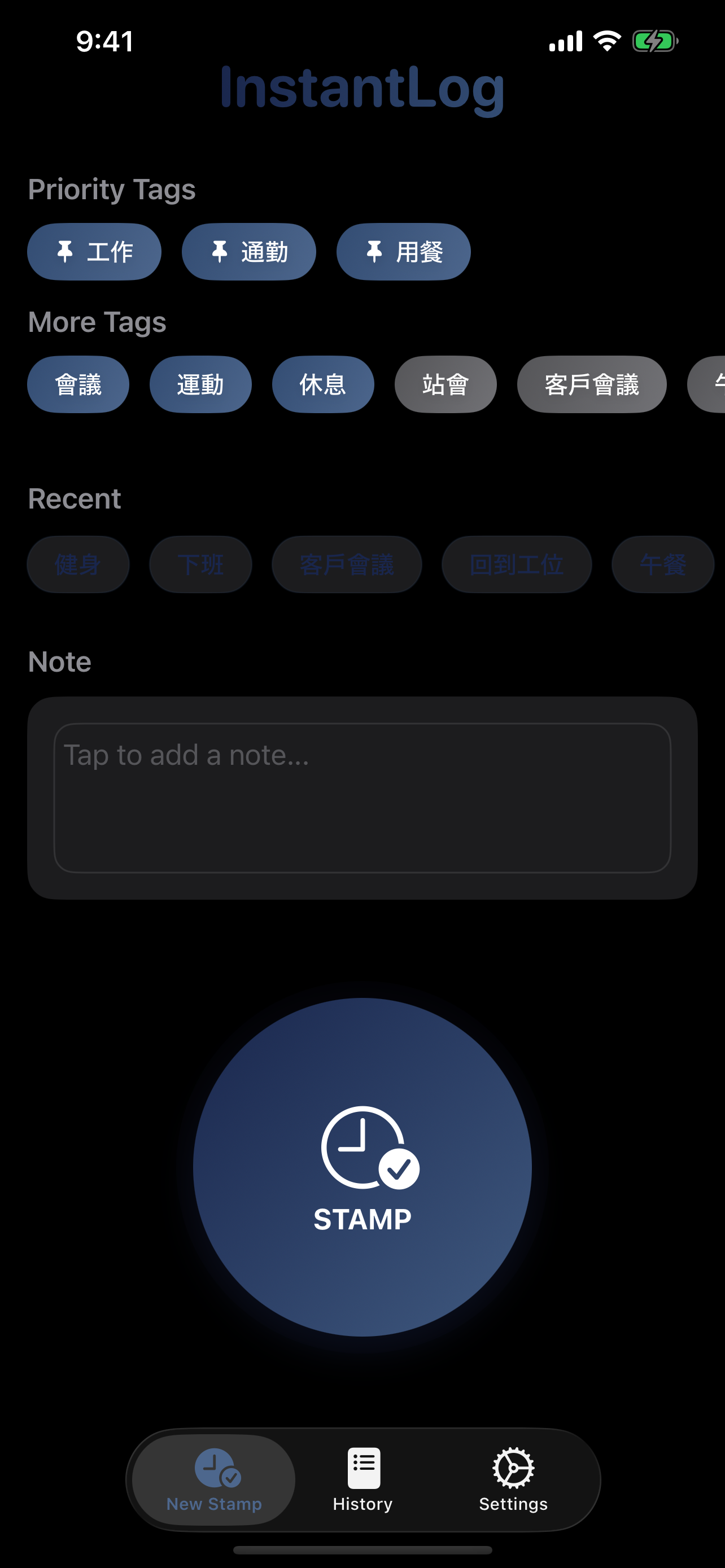
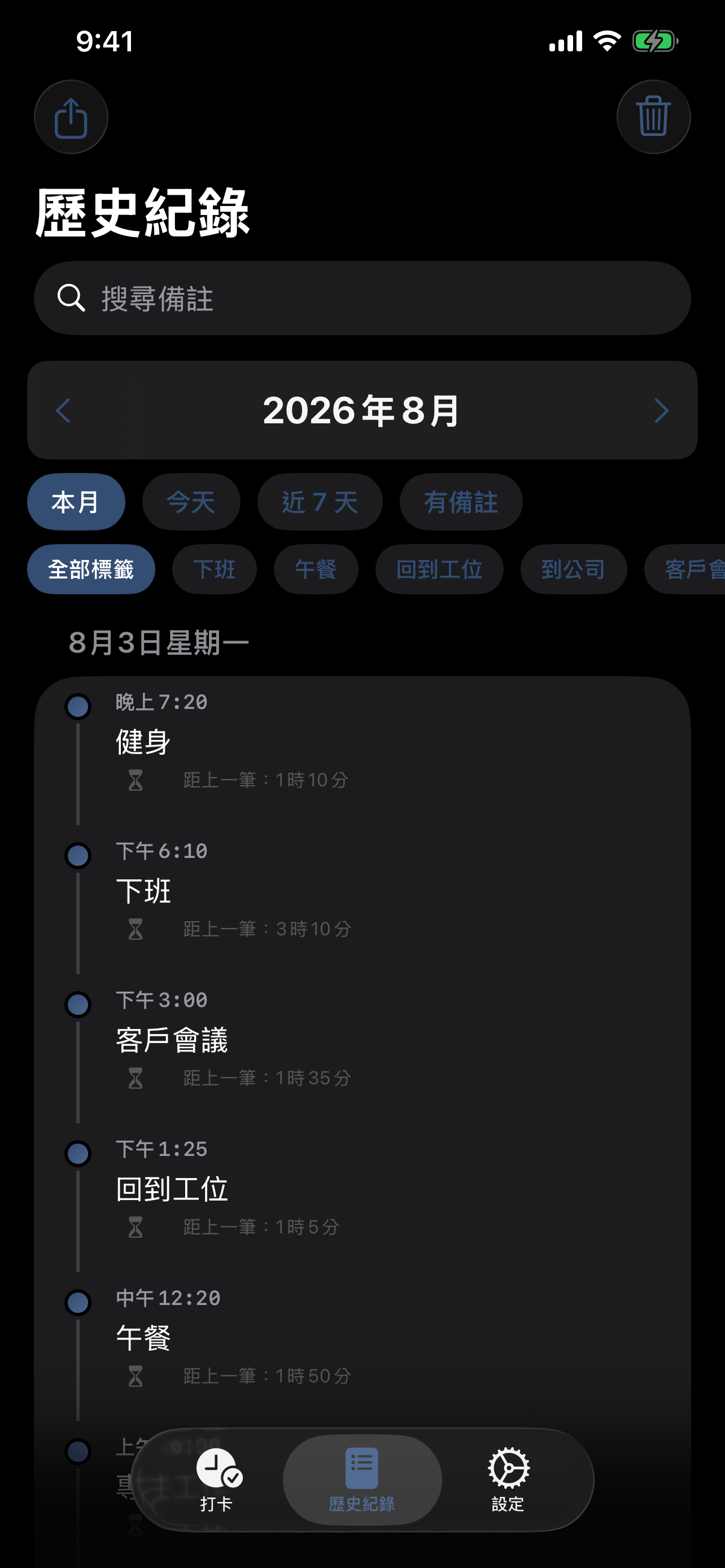
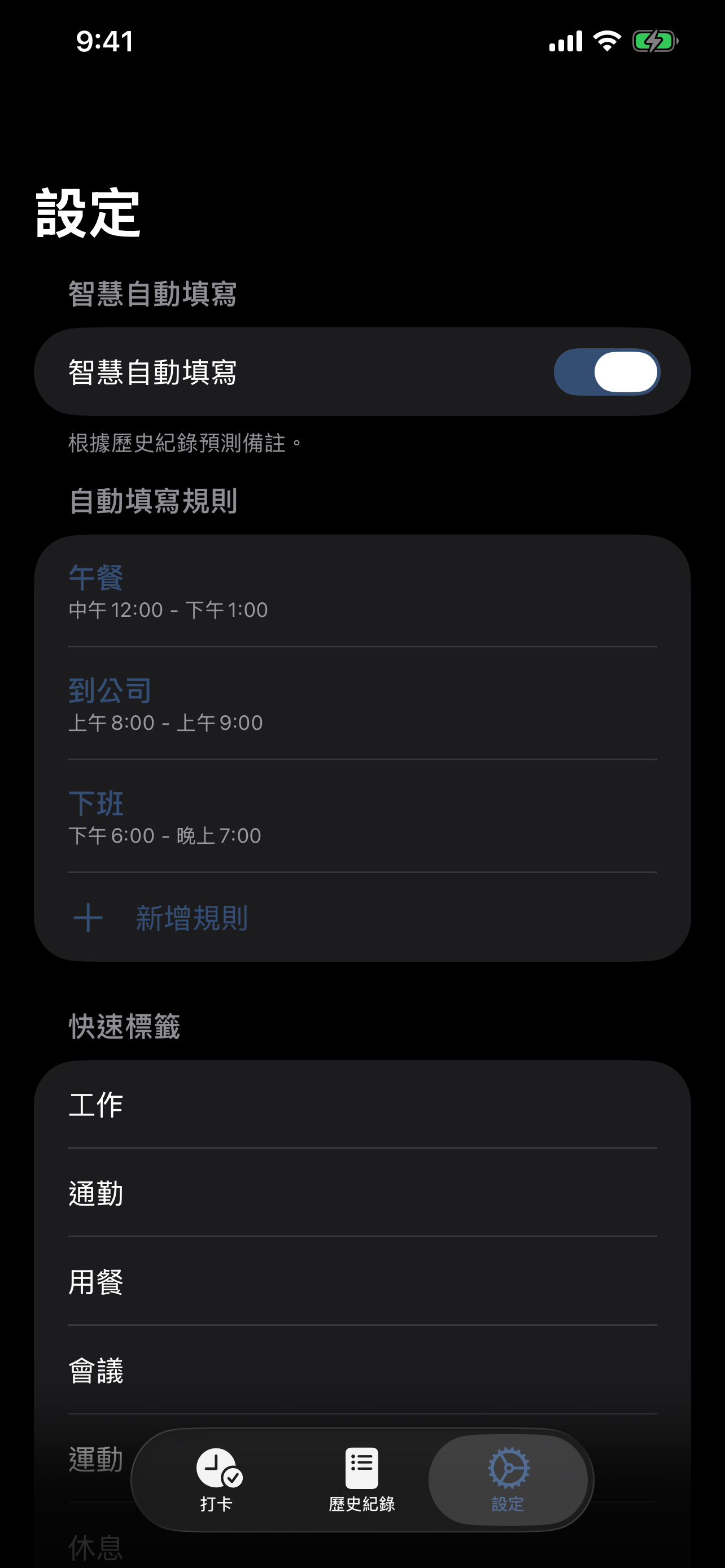

📚 常見問題 (FAQ)
1. 如何刪除紀錄?
在「歷史紀錄」頁面中,將任何一筆紀錄向左滑動,即可看到刪除與編輯操作。若要刪除整個月份的資料,可以切到該月份後,使用右上角的垃圾桶按鈕。
2. 智慧自動填寫是如何運作的?
InstantLog 會分析您過去的紀錄習慣。例如,若您經常在中午 12 點記錄「午餐」,下次在這個時間打卡時,App 便會自動建議「午餐」。您也可以在「設定」中自行建立規則來自訂自動填寫。
3. 可以搜尋或篩選歷史紀錄嗎?
可以。在「歷史紀錄」頁面中,您可以搜尋備註內容,也可以切換今天、近 7 天、本月、有備註等篩選條件,並搭配快速標籤進一步縮小結果範圍。
4. 快速標籤是怎麼運作的?
您可以在 設定 > 快速標籤 中管理與排序 Quick Tags。列表中的前 3 個標籤會優先顯示在打卡頁,因此可以把最常用的項目排在最前面。
5. 如何備份資料?
請前往 設定 > 資料管理 > 備份與還原。InstantLog 現在的備份除了紀錄外,也會一起包含自動填寫規則、快速標籤與智慧自動填寫設定。匯入完成後,App 也會顯示摘要,讓您確認恢復了哪些內容。這是一項進階功能。
6. 如何匯出 CSV 報表?
請前往「歷史紀錄」頁面,點擊左上角的匯出圖示。您可以將目前歷史頁篩選後顯示的紀錄匯出為 CSV 檔案,方便使用 Excel 分析或列印。匯出是進階功能。
7. 沒有網路可以使用嗎?
可以。打卡、備註與已保存的停車位置主要儲存在裝置本機;基本打卡、停車定位、距離指引及既有紀錄不需要 InstantLog 帳號。地圖、步行路線、廣告、購買及寄送支援信件等功能可能需要網路。
8. Apple Watch 版可以離線使用嗎?
可以。即使 iPhone 不在旁邊,您仍可在 Apple Watch 打卡或記錄停車位置。手錶會先保存,再於裝置重新連線時同步;iPhone 可連線時通常很快,離線紀錄則會保持等待狀態,直到連線可用。
9. 如何放大 Apple Watch 上的文字?
InstantLog 會透過 Dynamic Type 跟隨 Apple Watch 的系統文字大小。請在手錶上開啟「設定」>「顯示與亮度」>「文字大小」,點擊大小控制或旋轉數位錶冠調整,也可以開啟「粗體文字」。使用輔助使用字級時,InstantLog 會自動將「快速記錄」從雙欄切換成單欄,方便閱讀。
10. 支援 Widget 嗎?
支援。InstantLog 提供主畫面 Widget,可快速打卡;在支援的 widget 尺寸上,也可以直接使用快速標籤,不必每次都開啟完整 App。
11. 進階版解鎖什麼?
InstantLog 進階版是一次性永久購買,不是訂閱。它解鎖一般 iPhone 打卡 GPS、iPhone 與 Apple Watch 的進階找車方向箭頭、CSV 匯出、備份還原,並移除橫幅廣告。基本停車位置儲存與取回、地圖、距離、停車細節及步行導航仍可免費使用。
12. 如何記錄停車位置並找車?
在 iPhone 或 Apple Watch 打卡畫面點一下「停車」。InstantLog 會立即保存紀錄,並在背景附加當下可取得的最佳位置。存在有效停車點時,點「找車」即可查看地圖、直線距離、樓層/區域/車位細節與步行導航;找到車後點「已找到車」即可清除目前停車點。
13. 為什麼停車位置可能不準確?
GPS 在戶外效果最好。地下停車場、高樓、屋頂遮蔽及衛星訊號不足都可能增加誤差。InstantLog 會在可取得時顯示保存精度;室內或多層停車場建議另外填寫樓層、區域或車位。
14. 可以改用約略位置嗎?
可以。請開啟 iPhone 的「設定」>「隱私權與安全性」>「定位服務」>「InstantLog」,關閉「精確位置」。停車功能仍可使用,但保存位置與方向指引可能較不精準。即使拒絕定位,打卡紀錄仍會保存,只是不包含座標。
15. 換 iPhone 後如何恢復進階版?
使用原本購買的 Apple 帳號登入,開啟 InstantLog 的「設定」>「進階版」並點「恢復購買」。恢復後,進階版權益也會由 iPhone 同步到配對的 Apple Watch。
サポートとよくある質問
InstantLog のサポートページへようこそ。よくある質問への回答や、お問い合わせ方法をご案内しています。
📱 アプリのスクリーンショット
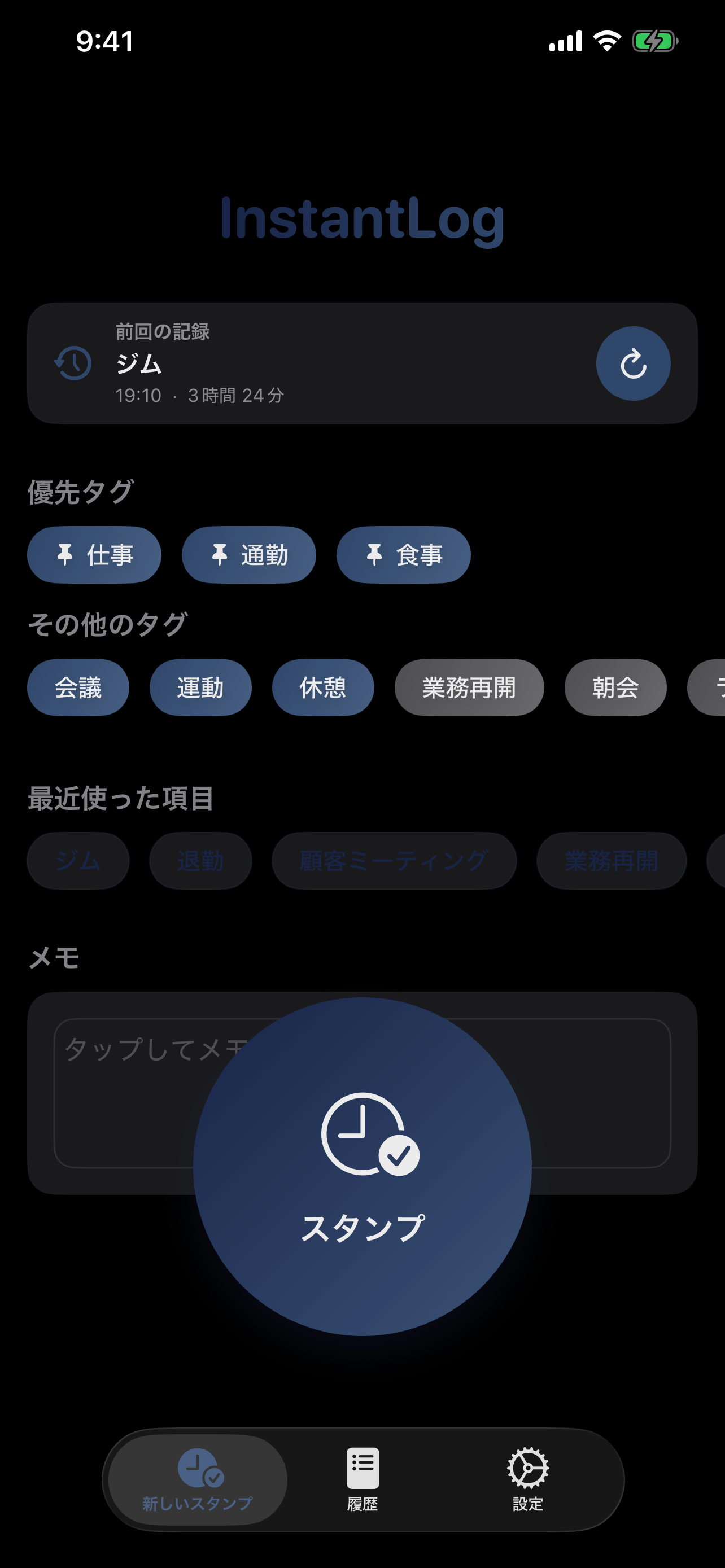

📚 よくある質問 (FAQ)
1. 記録を削除するには?
履歴画面で任意の記録を左にスワイプすると、削除と編集の操作が表示されます。月全体のデータを削除したい場合は、対象の月を表示して右上のゴミ箱ボタンを使ってください。
2. スマート自動入力はどのように動作しますか?
InstantLog は過去の記録傾向をもとにメモを提案します。たとえば、12時頃によく「ランチ」を記録している場合、その時間帯にスタンプすると「ランチ」が候補として入りやすくなります。設定画面で明示的なルールを作成して、自動入力内容を細かく調整することもできます。
3. 履歴の検索やフィルタはできますか?
はい。履歴タブではメモ検索に加え、今日、過去 7 日間、今月、メモあり、といった条件で絞り込めます。さらにクイックタグのフィルタを使うと、目的の記録をより素早く見つけられます。
4. Quick Tags はどのように使いますか?
Quick Tags は 設定 > Quick Tags で管理できます。リストの先頭 3 件はスタンプ画面で優先表示されるため、よく使うタグを上に並べると便利です。
5. データのバックアップ方法は?
設定 > データ管理 > バックアップと復元 を開いてください。現在のバックアップには選択した記録だけでなく、自動入力ルール、Quick Tags、スマート自動入力設定も含まれます。復元後にはインポート概要も表示されるため、何が戻ったか確認できます。これはプレミアム機能です。
6. CSV レポートをエクスポートするには?
履歴タブ左上のエクスポートアイコンをタップしてください。履歴画面で現在フィルタ表示されている記録を CSV として出力でき、Excel での集計や印刷に利用できます。エクスポートはプレミアム機能です。
7. オフラインでも使えますか?
はい。スタンプ、メモ、保存した駐車位置は主に端末内へ保存されます。基本スタンプ、駐車位置の保存、距離表示、既存記録の閲覧に InstantLog アカウントは不要です。地図、徒歩経路、広告、購入、サポートメールには通信が必要な場合があります。
8. Apple Watch アプリはオフラインでも使えますか?
はい。iPhone が近くになくても Apple Watch からスタンプや駐車位置の保存ができます。Watch が先に保存し、再接続後に同期します。iPhone に接続できる場合は通常すぐに同期され、オフラインの記録は接続可能になるまで待機します。
9. Apple Watch の文字を大きくするには?
InstantLog は Dynamic Type に対応し、Apple Watch のシステム文字サイズに従います。Watch の設定 > 画面表示と明るさ > テキストサイズを開き、サイズボタンをタップするか Digital Crown を回して調整してください。太字を有効にすることもできます。アクセシビリティ用の大きな文字サイズでは、クイック入力が自動的に2列から1列へ切り替わります。
10. Widget に対応していますか?
はい。InstantLog にはホーム画面ウィジェットがあり、すばやくスタンプできます。対応サイズではクイックタグから直接記録することもできます。
11. プレミアムで何が使えるようになりますか?
InstantLog プレミアムはサブスクリプションではなく、一度だけ購入する永久版です。通常の iPhone スタンプへの GPS 添付、iPhone と Apple Watch の高度な駐車方向矢印、CSV エクスポート、バックアップと復元、バナー広告の非表示が利用できます。基本の駐車位置保存・呼び出し、地図、距離、駐車詳細、徒歩経路は無料です。
12. 駐車位置を保存して車を探すには?
iPhone または Apple Watch のスタンプ画面で「駐車」をタップします。記録はすぐに保存され、その後で取得できた最良の位置が追加されます。有効な駐車位置があるときに「車を探す」を開くと、地図、直線距離、階/ゾーン/駐車番号、徒歩経路を確認できます。見つけたら「車を発見」で現在の駐車位置を消去します。
13. 駐車位置がずれるのはなぜですか?
GPS は屋外で最も正確です。地下駐車場、高層建物、屋根、弱い衛星信号では誤差が大きくなることがあります。取得できる場合は保存精度を表示します。屋内や立体駐車場では、階、ゾーン、駐車番号も入力してください。
14. おおよその位置情報を使えますか?
はい。iPhone の設定 > プライバシーとセキュリティ > 位置情報サービス > InstantLogで「正確な位置情報」をオフにしてください。駐車機能は使えますが、保存地点や方向案内の精度が下がる場合があります。位置情報を許可しなくても、座標なしでスタンプは保存されます。
15. 新しい iPhone でプレミアムを復元するには?
購入時と同じ Apple Account でサインインし、InstantLog の設定 > プレミアムから「購入を復元」をタップしてください。復元後、プレミアム権利はペアリング済み Apple Watch にも同期されます。